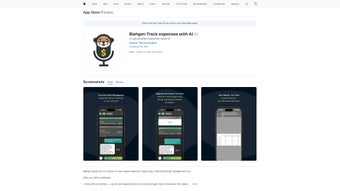

Скачать Blahget – AI‑Powered Voice Expense Tracker & Financial Management Tool
Обзор: разговорный способ управления вашими деньгами
Blahget меняет личные финансы, превращая отслеживание расходов в естественный диалог. Вместо того чтобы открывать таблицы или прокликивать бесконечные меню, пользователи просто произносят свои транзакции, а платформа делает всю тяжёлую работу. Работая на облачном AI‑движке, инструмент захватывает произнесённые суммы, даты, категории и заметки, затем автоматически сохраняет данные в защищённом хранилище. Со временем модель машинного обучения изучает нюансы голоса каждого пользователя, региональные акценты и привычки расходов, становясь всё умнее и уменьшая ошибки и ускоряя ввод.
Помимо основного голосового опыта, Blahget предлагает полнофункциональный режим ввода с клавиатуры для ситуаций, когда говорить вслух неудобно. Будь вы в тихом офисе, в шумном транспорте или просто предпочитаете тактильные ощущения клавиатуры, интерфейс ввода повторяет каждую голосовую команду, обеспечивая плавный переход между методами ввода. Интегрированный AI‑финансовый помощник может отвечать на вопросы о бюджете, прогнозировать денежный поток и предлагать персонализированные стратегии сбережений на основе исторических шаблонов, без необходимости навигации по сложным панелям.
Безопасность встроена в каждый слой Blahget. Все коммуникации защищены TLS 1.3, а данные в покое зашифрованы с помощью AES‑256. Сервис соответствует требованиям GDPR и CCPA, давая пользователям уверенность в конфиденциальности финансовой информации. Автоматические обновления доставляются мгновенно через веб‑платформу, поэтому вы всегда получаете новейшие функции и патчи безопасности без ручных загрузок. Будь вы студент, совмещающий учёбу с подработкой, фрилансер с несколькими источниками дохода или семья, стремящаяся к более строгому контролю бюджета, Blahget предоставляет современное, безопасное и бесконтактное решение для ежедневного управления расходами.
Ключевые функции, отличающие Blahget
- Voice‑First Transaction Logging: Speak your income or expense naturally; AI extracts amount, category, date, and optional notes.
- Adaptive AI Categorization: Automatic classification improves with continued use, learning your unique spending language.
- Batch Voice Commands: Edit or delete multiple records in a single spoken instruction, saving valuable time.
- Discrete Typing Mode: Full feature parity with voice mode for quiet environments or personal preference.
- Conversational Financial Assistant: Ask budgeting questions, request cash‑flow forecasts, and receive actionable saving tips.
- End‑to‑End Encrypted Cloud Storage: Your data is protected in transit and at rest, with GDPR‑compliant safeguards.
- Cross‑Platform Browser Access: Works on any modern browser across Windows, macOS, Linux, Android, and iOS devices.
- Customizable Visual Reports: Auto‑generated charts and trend lines give instant insight into spending patterns.
- One‑Click Export: Download transactions as CSV or PDF for tax preparation or offline analysis.
- Seamless Automatic Updates: New features and security patches are applied instantly without user intervention.
Каждая из этих возможностей разработана для снижения трения и предоставления пользователям возможности контролировать свои финансы с минимальными усилиями. Подход voice‑first устраняет повторяющиеся задачи ввода данных, характерные для традиционных приложений бюджетирования, а AI‑ассистент превращает сухие цифры в значимые рекомендации. Пользователи с нарушениями зрения или те, кто предпочитает бесконтактное взаимодействие, получают выгоду от пакетных голосовых команд, редко встречающихся в потребительских финансовых инструментах. В то же время безопасная облачная архитектура гарантирует, что ваша финансовая история защищена от потери или кражи устройства, а функция экспорта обеспечивает полное владение вашими данными.
Отчётность — ещё один сильный пункт. Агрегируя транзакции в интуитивные визуализации, Blahget позволяет за секунды увидеть всплески расходов, повторяющиеся счета и возможности для экономии. Помощник может даже предложить корректировки категорий — например, сократить бюджет на питание вне дома после обнаружения устойчивого роста расходов в ресторанах. Вместе эти функции предоставляют проактивный, интеллектуальный и безопасный опыт финансового управления, который выделяется на переполненном рынке.
Установка, совместимость и руководство по быстрому старту
Getting Started – No Download Required
Blahget is a fully web‑based application, which means there is no traditional installer to run. Simply navigate to www.blahget.com, click “Sign Up,” verify your email, and you’re ready to begin logging expenses. The responsive design adapts fluidly to desktop monitors, tablets, and smartphones, delivering a consistent experience regardless of screen size.
Supported Operating Systems (Windows, macOS, Linux, Android, iOS)
The platform runs in any modern browser that supports the Web Speech API and HTTPS encryption. This includes Chrome, Edge, Firefox, Safari, and Opera on Windows 10/11 and macOS Monterey or later, as well as Chrome or Safari on Android 9+ and iOS 14+. Because all processing occurs on Blahget’s servers, even low‑end devices enjoy smooth performance, and the AI’s heavy lifting stays in the cloud.
Step‑by‑Step Usage Instructions
- Create Your Account: Register with an email address or single‑sign‑on provider, then enable two‑factor authentication for added security.
- Set Up Voice Preferences: In Settings, select your language, calibrate the microphone, and optionally train the AI with a few sample phrases.
- Log a Transaction by Voice: Click the microphone icon and say, “I spent $45 on groceries on March 3rd.” Blahget parses the details and adds the entry automatically.
- Review and Adjust: The AI suggests a category (e.g., “Food – Groceries”). Confirm or change it as needed.
- Use Batch Commands: Say “Delete all coffee expenses from last month” or “Change all ‘Uber’ rides to ‘Transport’” to modify multiple records at once.
- Ask the Financial Assistant: Query “How much did I spend on utilities this quarter?” and receive a visual summary instantly.
- Generate and Export Reports: Choose a date range, view interactive charts, and export the data as CSV or PDF for tax filing.
If you prefer typing, toggle the keyboard icon in the top‑right corner. All typed entries sync instantly with the voice log, ensuring a unified record. Backups run automatically in the background, and you can trigger a manual backup from Settings whenever you wish. This blend of flexibility, security, and ease‑of‑use makes Blahget a truly universal finance companion.
Conclusion – Pros, Cons, FAQ and Why You Should Try Blahget
Pros
- Hands‑free voice logging eliminates tedious manual entry.
- AI continuously learns your speech patterns, boosting accuracy over time.
- End‑to‑end encryption safeguards sensitive financial information.
- Browser‑based access works on Windows, macOS, Linux, Android, and iOS.
- Integrated financial assistant provides instant budgeting insights.
- Batch voice commands streamline bulk edits and deletions.
- Automatic, zero‑click updates keep the software current.
- CSV and PDF export options simplify tax preparation.
Cons
- Requires a stable internet connection for real‑time voice processing.
- Speech recognition may struggle with heavy accents or noisy environments.
- No dedicated native desktop or mobile apps; performance depends on browser.
- Offline transaction entry is limited to typing mode only.
- Advanced analytics and multi‑currency support are locked behind a premium plan.
Frequently Asked Questions
Is Blahget free to use?
Yes. The free tier includes unlimited voice logging, AI categorization, basic reports, and cloud storage. Premium features such as advanced analytics, multi‑currency support, and priority support require a subscription.
How secure is my financial data?
All data is transmitted over TLS 1.3 and stored with AES‑256 encryption. Blahget adheres to GDPR and CCPA standards, and two‑factor authentication is optional for added protection.
Can I access Blahget on my smartphone?
Absolutely. Because it runs in a web browser, you can open Blahget on any modern Android or iOS device. The responsive design ensures a smooth experience on both small and large screens.
What happens if I lose internet connectivity?
Voice recognition relies on cloud processing, so it’s unavailable offline. However, you can switch to typing mode and manually enter transactions; these entries will sync automatically once you reconnect.
Does Blahget integrate with other finance tools?
Currently Blahget supports CSV export, which can be imported into most accounting software such as QuickBooks, Xero, or Excel. Future updates plan to add direct API integrations with popular budgeting platforms.
Ready to experience a smarter, hands‑free way to track your money? Sign up for Blahget now, start logging expenses by simply speaking, and let the AI handle categorization, analysis, and reporting. With robust security, cross‑platform accessibility, and a generous free tier, Blahget offers a compelling solution for anyone looking to gain better control over their finances without the hassle of traditional apps.
Overall Rating: 4.5/5
Pros: Voice‑first logging, AI insights, strong security, cross‑platform access.
Cons: Requires internet, limited offline entry, premium needed for advanced reports.



.png)



